
Extra Work Approval
Agree on the extra work before it starts. A focused scope, additional price, customer response, and versioned record for the contractor's next change request.
Deployed · synthetic workflow verifiedFictional fencing example · $350 additional · one additional working day. Illustrative playback makes no live customer decision and sends no message.
One extra request, written clearly
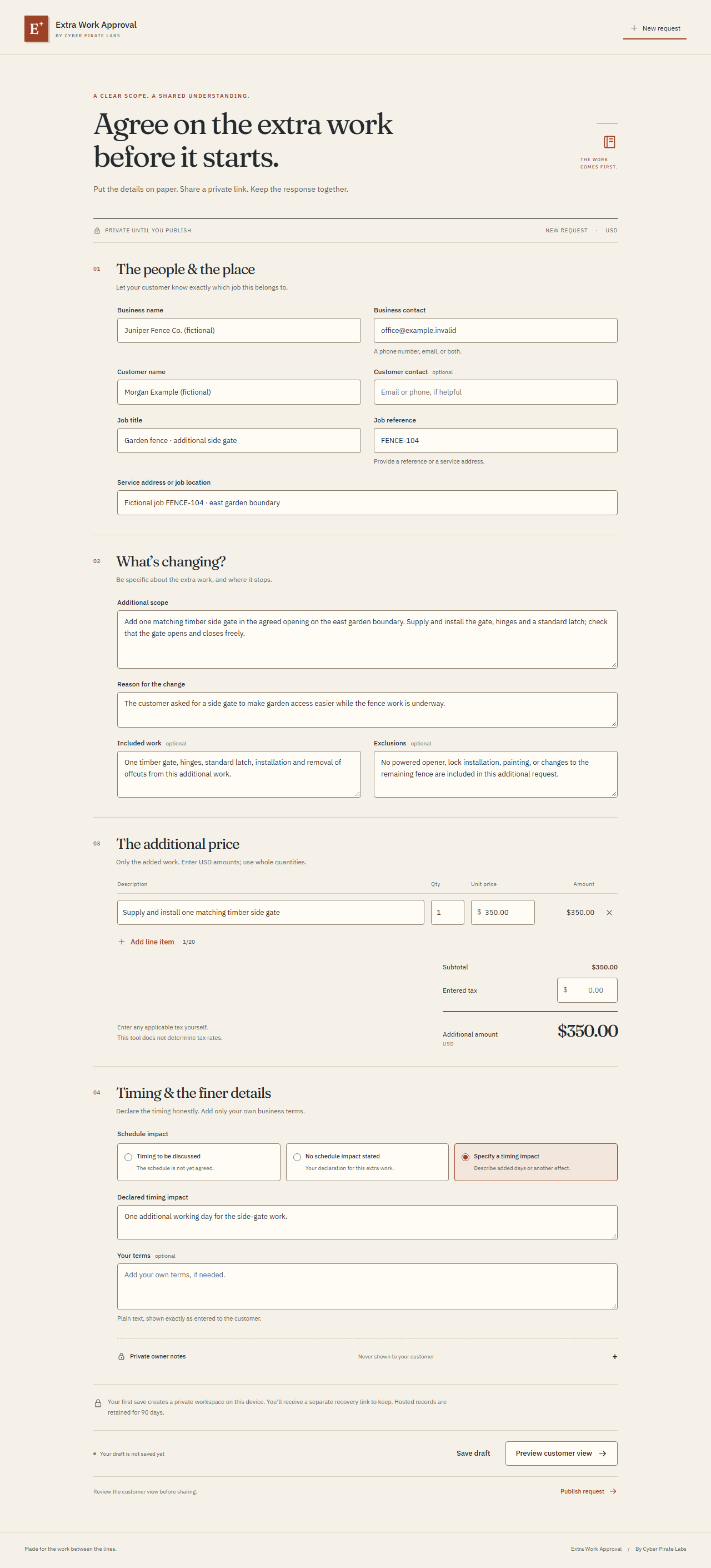
Fictional work order FENCE-104: Morgan Example asks Juniper Fence Co. for a side gate during the garden-fence job. The app itself always starts blank.
Reduced motion is on. Use the scene controls to explore the complete story at your own pace.
Read the complete step-by-step story
- One extra request, written clearly
Fictional work order FENCE-104: Morgan Example asks Juniper Fence Co. for a side gate during the garden-fence job. The app itself always starts blank.
- The added amount and timing
$350 is a fictional additional amount, not a recommended market price or original contract total. This sample explicitly declares one additional working day; the entered tax amount is $0.
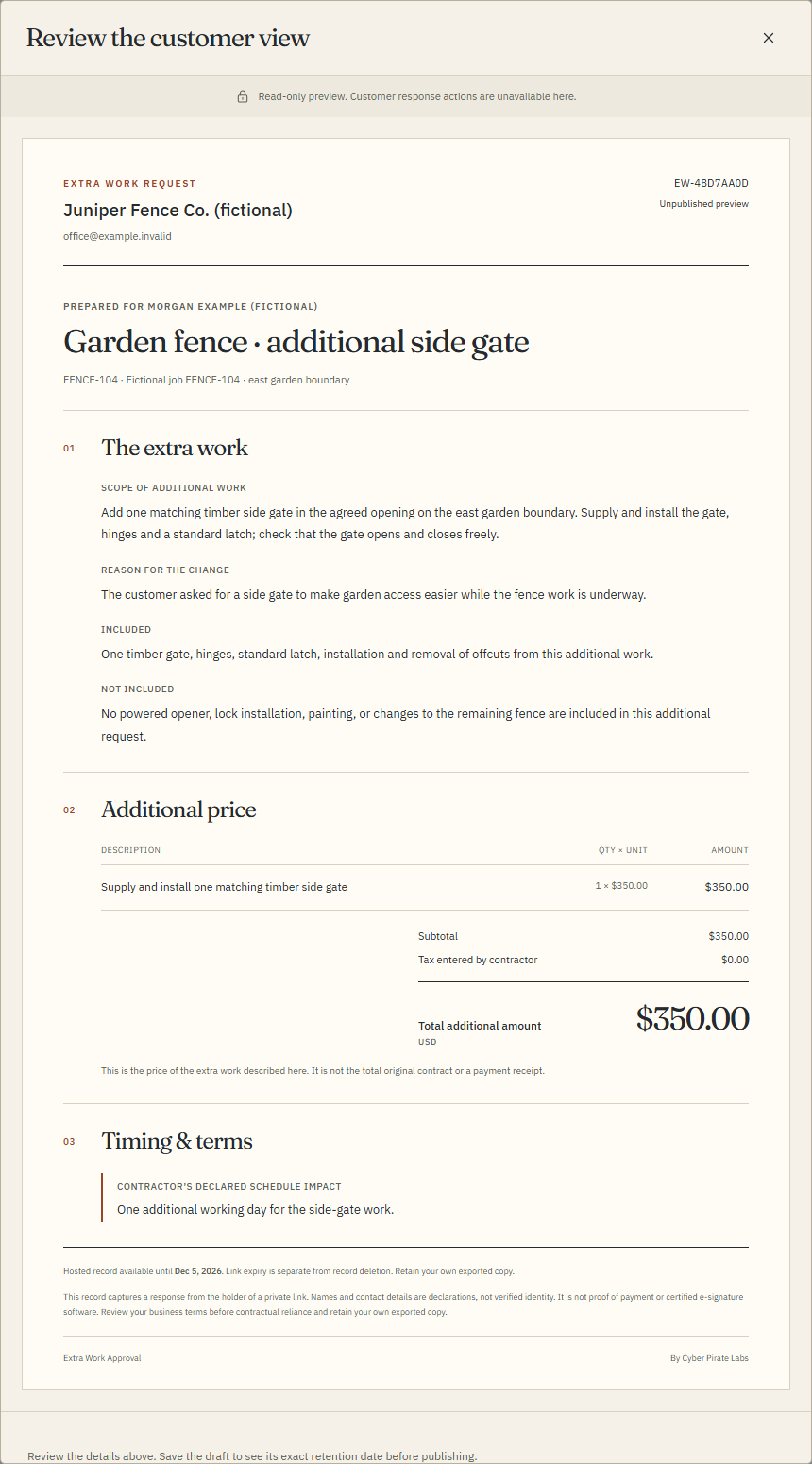
- Review before publishing
The read-only preview shows the scope, included work and exclusions together. No powered opener, lock installation, painting or changes to the remaining fence are included. Private owner notes are excluded.
- Publish a specific version, then copy
This illustrated step freezes version 1 and shows the customer-link copy action. The portfolio sends no message and contains no functional customer or management token. Copying is not delivery.
- A calm document on the customer's phone
The customer reviews the exact scope, $350 additional amount and one additional working day. Approve, Request changes and Decline remain visible. Playback does not submit a live response.
- A deliberate approval
In this sample, Morgan Example types their name, checks an initially unselected acknowledgment of the scope, additional amount and timing, then confirms the response. A typed name is a declaration, not verified identity.
- The server response establishes the result
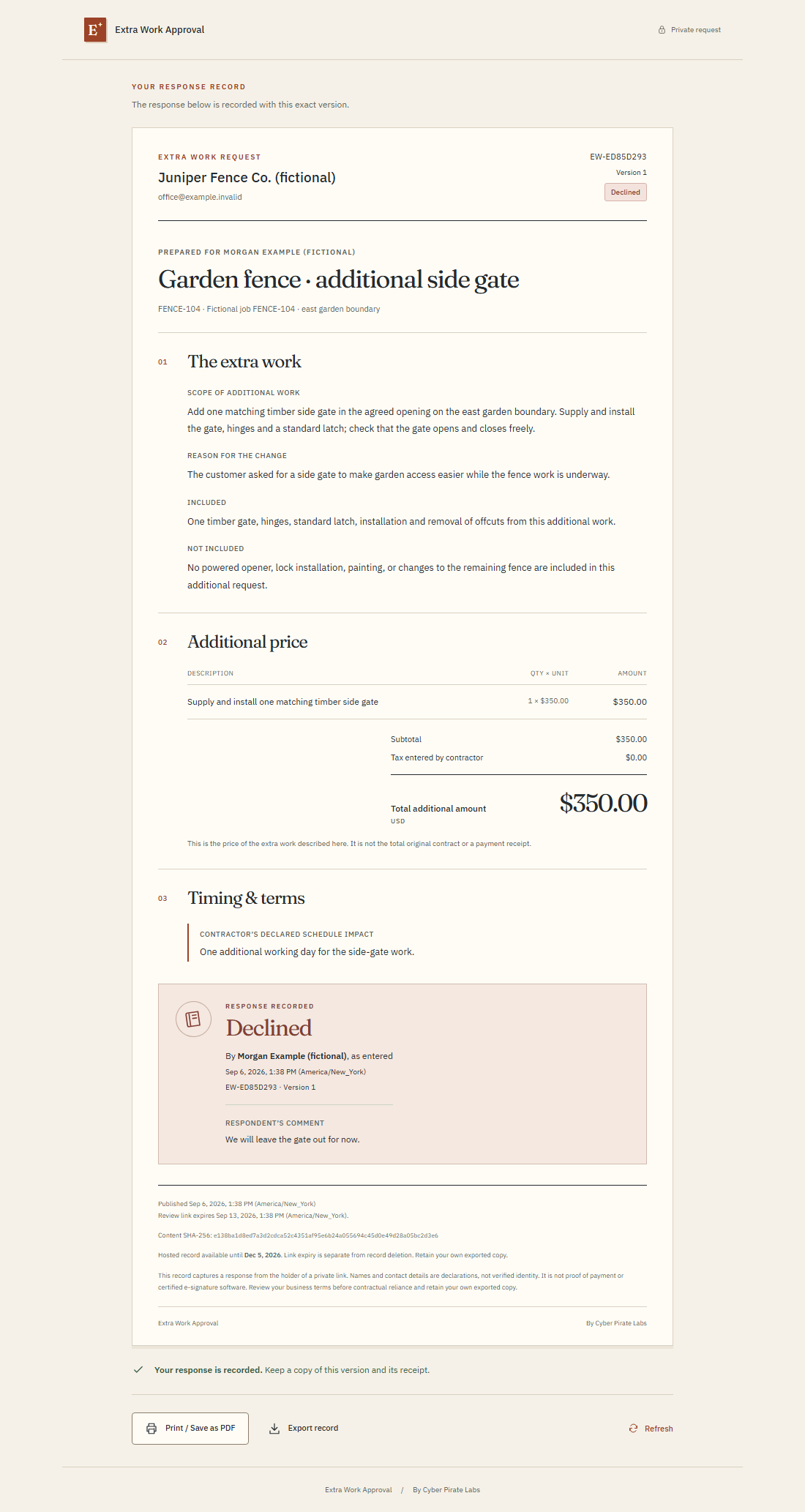
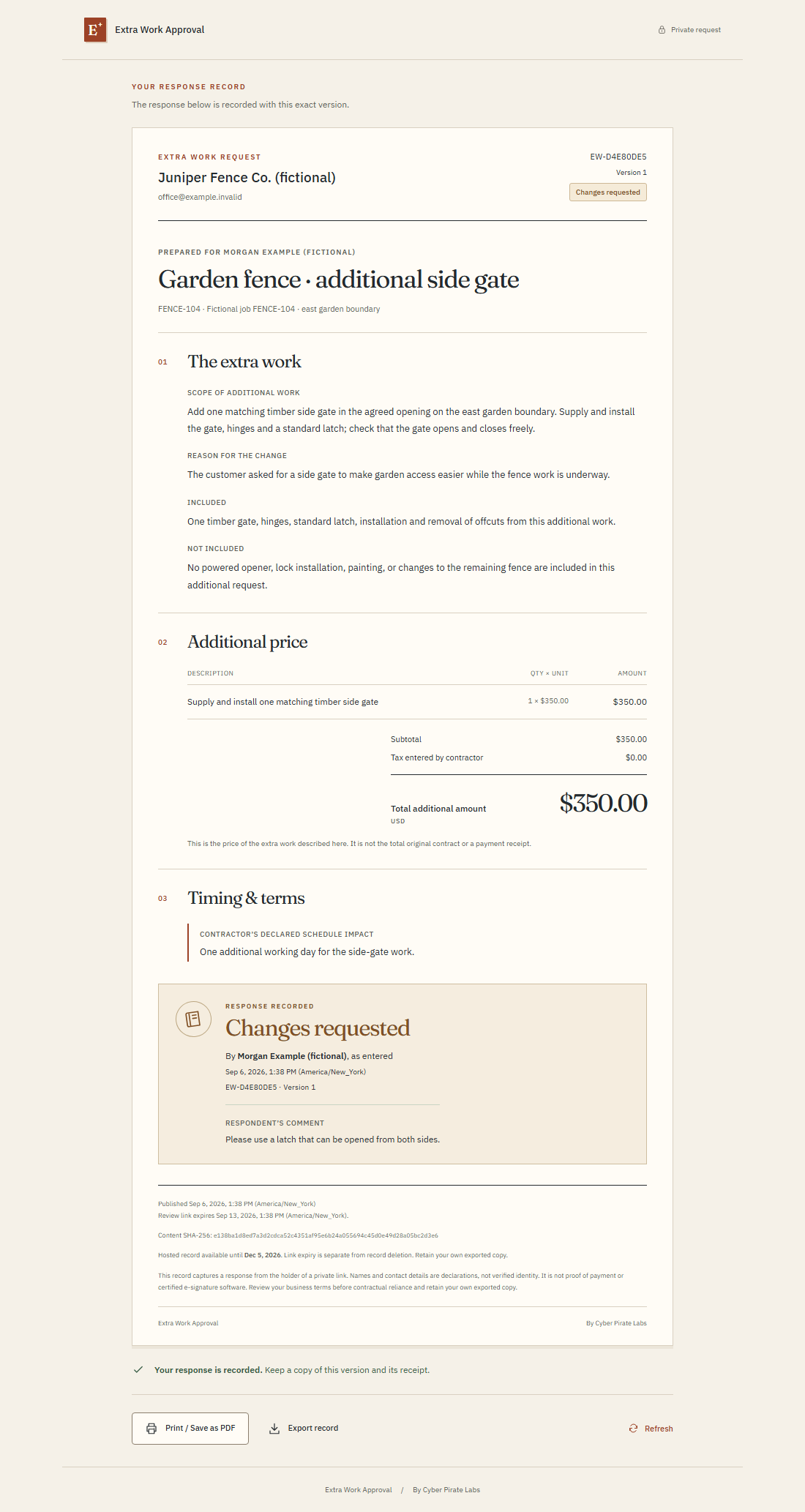
The actual product displays a receipt only after a committed server response. This illustrated receipt represents Approved for FENCE-104 version 1; it is not an actual customer's approval or a live provider event.
- Keep the version and response together
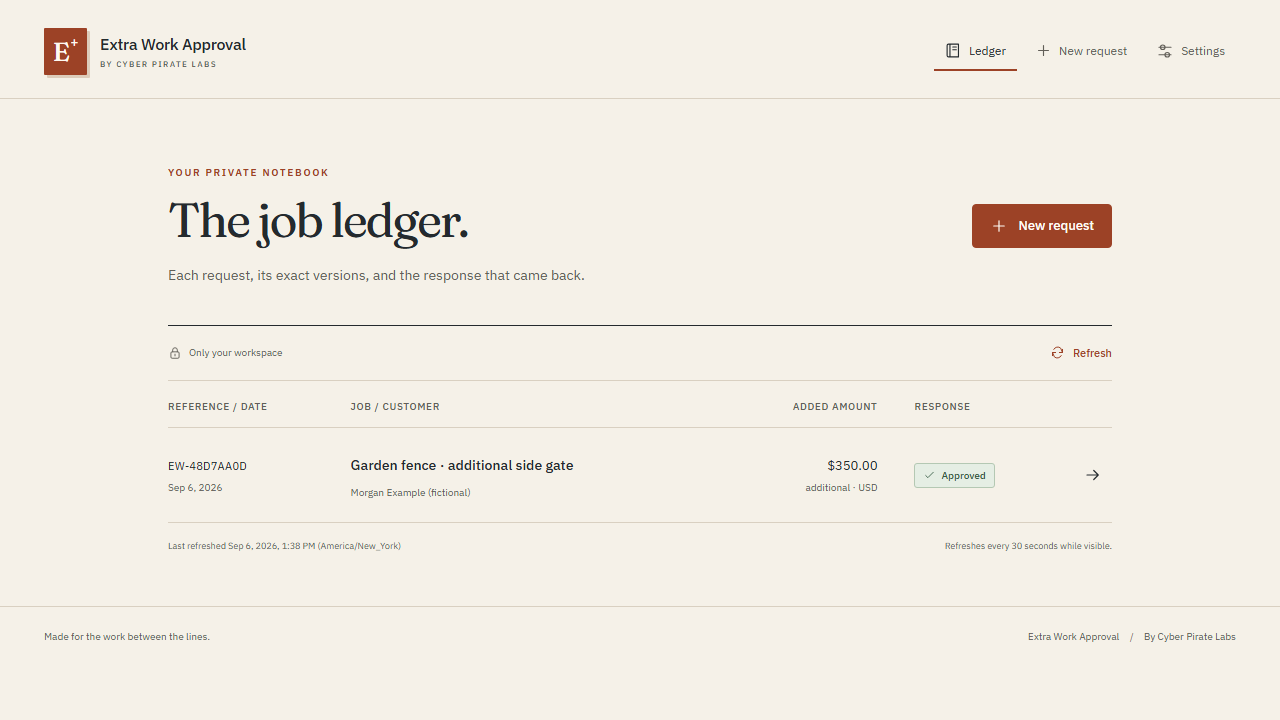
The contractor refreshes the ledger, exports the stored record, and can use browser Print / Save as PDF. Hosted retention is limited; keep your own copy. An approved request is not money collected or proof of payment.
From the problem
to the system.
What needed to work better.
A customer's while-you-are-here request can leave extra scope, added cost and timing scattered across a conversation before either person has a clear record.
Design the connection.
Aaron defined a narrow contractor-to-customer workflow and directed the product's private access boundary, immutable versions, response clarity and distinctive work-order notebook design.
A deliberate flow.
The contractor prepares one change request with scope, price and declared timing, publishes a private review link, and keeps the customer's response connected to that exact version.
Explore the architecture & technologies
- Blank work-order composer
- Private owner workspace
- Immutable published version
- Scoped customer response
- Version history and export
Explore the actual build.
Application screenshots with fictional data. Read each caption for its context; open an image to inspect the details.
 Inspect workflow ↗
 Inspect workflow ↗
 Inspect workflow ↗
 Inspect workflow ↗
 Inspect workflow ↗
 Inspect workflow ↗
 Inspect workflow ↗