
Before-and-After Job Report Builder
Turn scattered job photos and notes into an ordered visual report, with local editing and browser printing or Save as PDF.
Public application · browser-session reportsBefore-and-After Job Report Builder
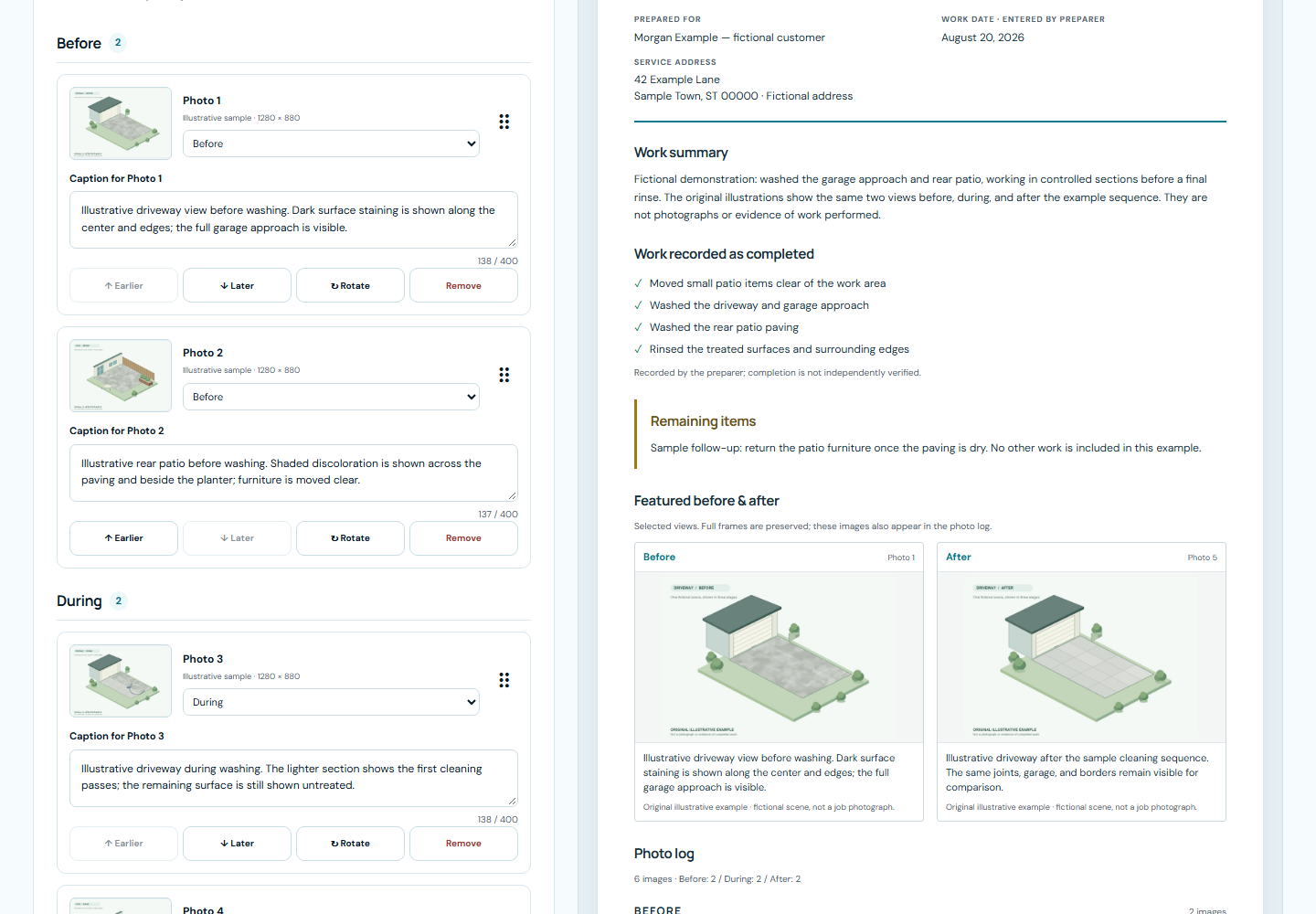
Visitors can load a clearly labeled fictional sample or select their own local photos, organize Before / During / After groups, edit captions and work details, choose a comparison pair, and prepare a report through the browser print dialog. Photos and job details stay in the current browser session.
Open live site ↗Opens the existing deployed site in a new tab.
From the problem
to the system.
What needed to work better.
Job photographs and work notes are often scattered across a crew's handoff. A customer needs a clear account of what was documented, what was done, and which items remain.
Design the connection.
CPL designed and built the browser-only photo intake, report editor, image organization, work checklist, live document preview, and printable report template.
A deliberate flow.
Visitors can load a clearly labeled fictional sample or select their own local photos, organize Before / During / After groups, edit captions and work details, choose a comparison pair, and prepare a report through the browser print dialog. Photos and job details stay in the current browser session.
- An ordered photo log preserves complete image frames and includes the user's current captions and work notes.
- Completed-work sections contain checked items only, while remaining items and incomplete-report labels remain visible.
- One HTML report supports live preview and browser printing or Save as PDF, with selectable text and Letter/A4 layouts.
Automated checks and anonymous desktop/mobile viewport tests exercised photo organization, current edits, sample disclosures, and printing. Chromium-generated Letter, A4, and difficult-report PDFs were inspected page by page; desktop Chrome print preview and cancellation were checked separately. The bundled sample uses original illustrations of fictional scenes, not photographs of completed customer work.
Explore the architecture & technologies
- Start blank or load a fictional sample
- Check and normalize supported local images
- Organize photos, captions, and work notes
- Preview the current HTML report
- Use the browser to print or save as PDF
Explore the actual build.
Screenshots captured from the deployed application. Open an image to zoom, pan, and inspect the details.
 Inspect workflow ↗